

How to Track UTMs in LinkedIn Thought Leadership Ads & Boosted Posts
LinkedIn thought leadership and boosted organic posts have become a core part of many B2B growth strategies.
They combine the authenticity of organic content with the scale of paid distribution.
But there’s a hidden problem most marketers don’t notice until it’s too late: Your UTMs might not actually be working.
And if your UTMs don't work, your attribution breaks, and suddenly - you're making wrong descisions.
Let’s break down why this happens and how to fix it properly.
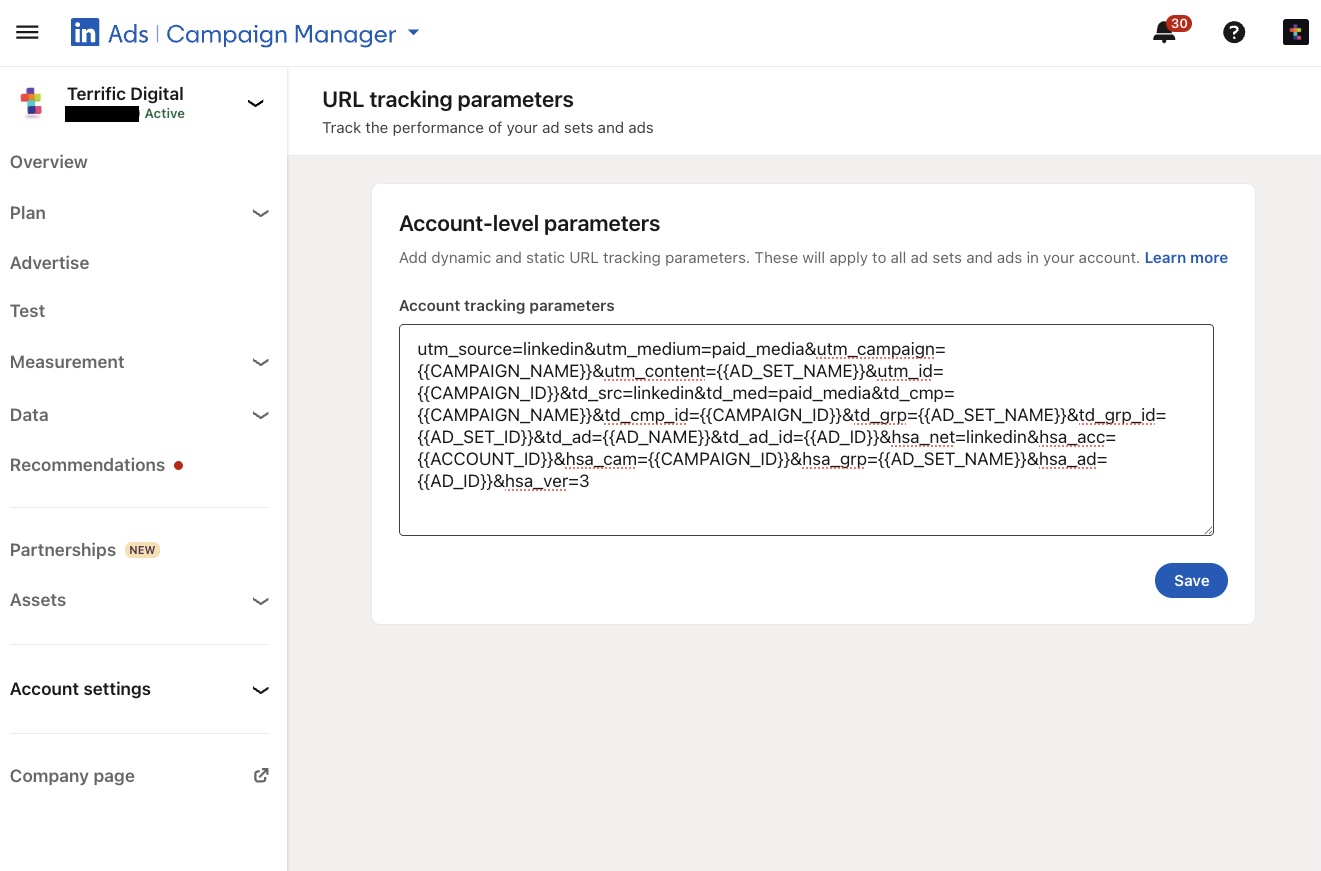
Before diving into this fix, we highly suggest reading our best-practice method to tag LinkedIn Ads with UTMs. This guide will walk you through setting up an account-level tracking template you can count on.
The Hidden Problem with LinkedIn UTMs
When running boosted posts or thought leadership ads on LinkedIn, it’s common to define UTMs at the ad account's or ad set level.
Usually, something like: utm_source=linkedin&utm_medium=paid_media&utm_campaign=thought_leadership&utm_content=post_variant_a
In theory, LinkedIn SHOULD append these parameters to your URL when users click.
But in practice, something else happens:
- You place a long URL in your organic post
- LinkedIn automatically shortens it
- LinkedIn appends UTMs to the shortened link, not the original URL
- The redirect happens… but the UTMs are lost
The result:
- Users land on your page without UTMs
- Analytics platforms (GA4, HubSpot, etc.) lose attribution
- Campaign performance becomes unreliable
LinkedIn automatically shortens URLs that exceed roughly 25 characters.
So if your link looks like this: terrific-digital.com/blog-posts/how-to-properly-tag-linkedin-ads-with-utms-best-practice-guide
LinkedIn replaces it with something like: lnkd.in/xyz123
Then it appends your UTMs to that shortened version.
The issue is that during the redirect, those UTMs don’t persist to the final destination URL.
The Solution: Control the Short Link Yourself
The fix is surprisingly simple: Use your own short link that LinkedIn won’t modify.
The only requirement - your URL must be short enough (23–25 characters or less) so LinkedIn does not shorten it.
For example: terrific-digital.com/gYB04
Because this link is already short, LinkedIn keeps it as-is.
Now when UTMs are appended, they stay attached to your URL.
How It Works (Technically)
Instead of linking directly to your long URL, you:
- Create a short path
- Redirect it to the real destination (using 301 redirection)
- Preserve all URL parameters during the redirect
For example, let's say our website is hosted on Webflow, and we would like to redirect this URL: terrific-digital.com/gYB04
To this URL: https://terrific-digital.com/blog-posts/how-to-properly-tag-linkedin-ads-with-utms-best-practice-guide
And the most important part is - we want the URL parameters to persist during the redirection process.
The 301 redirect rule would look like this:
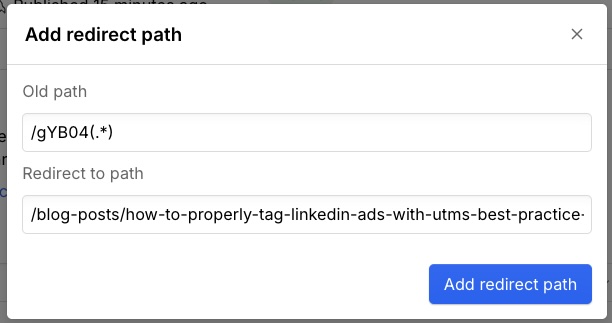
Old path: /gYB04(.*)
New path: /blog-posts/how-to-properly-tag-linkedin-ads-with-utms-best-practice-guide/%1
What this does:
- The "(.*)" at the end of the old path basically captures any appended parameters (like UTMs)
- The "/%1" at the end of the new path passes them through to the final URL
- That's how attribution remains intact
Keep in mind - I referred to Webflow in this example, but it's possible on every server you might use. Just reach out to your IT or webmaster and ask them to create a 301 redirect rule for you, they will know exactly what to do.
What Happens After the Fix
- You use your new shortened URL in your organic post
- LinkedIn does not change it
- UTMs are appended correctly to the link from your ad account
- The redirect preserves them
- The final landing page contains your precious UTMs
Result:
- Accurate campaign tracking
- Reliable reporting across tools
- Clear visibility into performance
When This Matters Most
This issue is especially critical when:
- Running thought leadership ads from personal profiles
- Boosting organic posts
- Measuring performance in GA4, HubSpot, or CRM systems
- Comparing campaigns, audiences, or creatives
If you rely on UTMs for decision-making, this is not optional.
Key Takeaways
- LinkedIn shortens long URLs automatically
- UTMs get appended to the shortened link, not the final destination
- This breaks attribution
- The fix is to use a custom short URL (23–25 characters)
- Use a 301 redirect that preserves parameters
Final Thought
Most marketers assume their UTMs are working because they set them up correctly.
But platforms don’t always behave the way we expect.
This is one of those edge cases where a small technical detail can completely distort your data.
Fixing it takes minutes.
Ignoring it can cost you months of misleading insights.
Need any help with your LinkedIn Ads? Feel free to reach out to us, let's figure out how we can help you: